Every beginner asks this question. Most answers online are vague. This one isn't. We break down every category that matters — with real numbers, real use cases, and a clear verdict at the end.
What's Covered
Zapier has 3.8 million users. Make.com is growing 68% year-on-year. Both are excellent. Only one is right for you — and the difference matters more than most people think.
The honest answer that most blog posts won't give you: neither tool is universally better. The right choice depends entirely on where you are and what you're building.
But here's the thing — the wrong choice costs you months. You pick the wrong tool, get frustrated, quit too early, and blame yourself. This post makes sure that doesn't happen. We're going 10 rounds. Every category that actually matters. No affiliate bias. Clear winner per round.
What Each Tool Actually Does
Both Zapier and Make.com are workflow automation platforms. They connect apps and trigger automatic actions based on events. That's the shared foundation. The difference is in how they execute that idea.
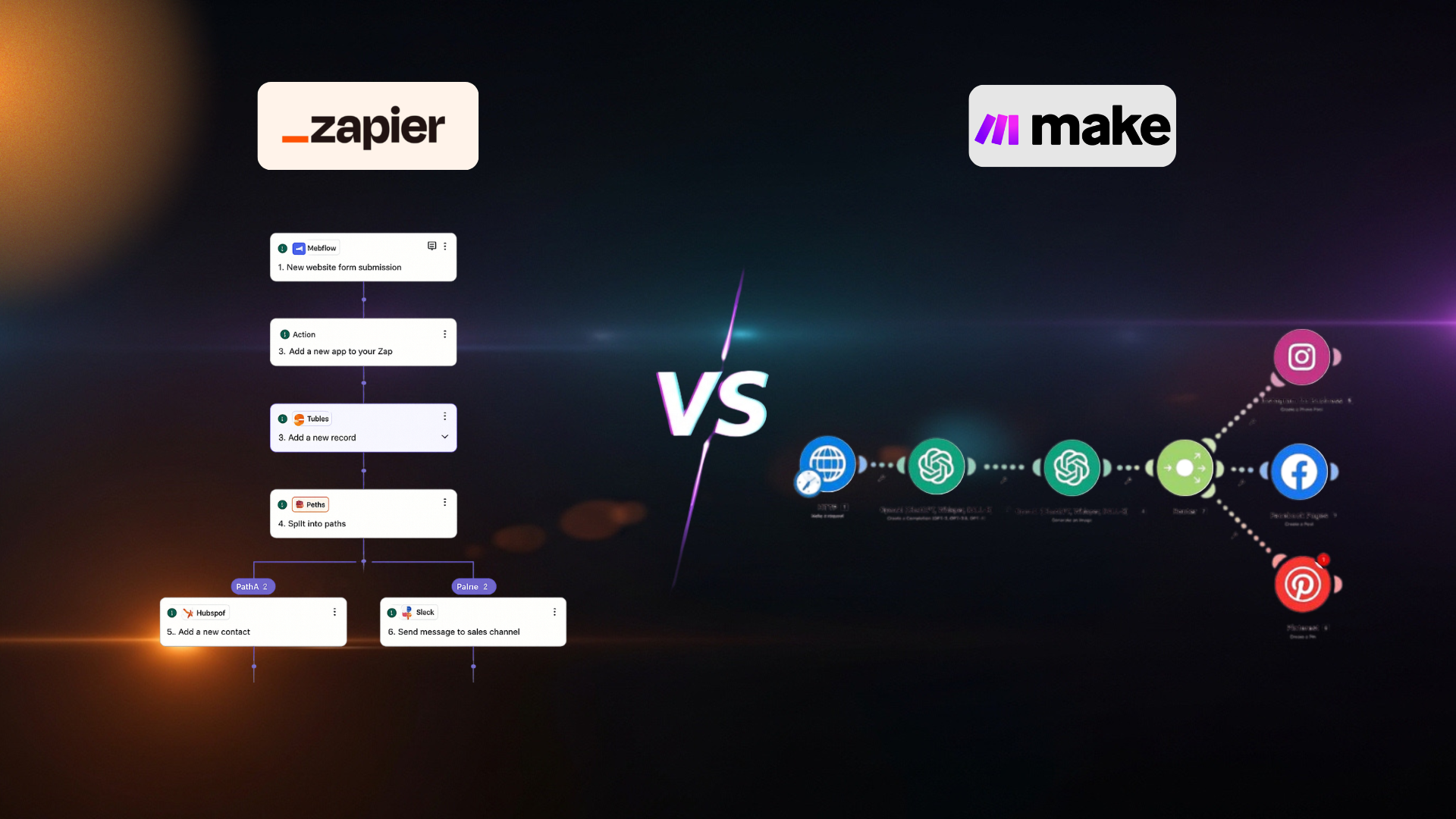
Zapier's model is linear: trigger → action → action → done. It's like writing a sentence. One thing leads to the next. Simple and predictable.
Make.com's model is visual and non-linear: you see the entire workflow on a canvas. You can branch paths, add conditions, loop through data, handle errors, and run parallel operations. It's like drawing a system diagram.
Neither approach is wrong. Zapier is faster to build. Make is more powerful to grow.
Interface & Ease of Use
Zapier
Zapier has the cleanest onboarding experience in the automation industry. You pick a trigger app, pick an action app, and Zapier walks you through the rest. A complete beginner can build their first working automation in under 10 minutes. The interface is so simple it almost feels like filling out a form. No nodes to drag. Just steps.
Make.com
Make.com's visual canvas is genuinely impressive, but it has a real learning curve. When you open it for the first time, you see a blank canvas with floating nodes. It's not obvious where to start. Most beginners spend their first 30 minutes just figuring out the interface. Once you get it, it becomes incredibly intuitive — but that initial wall exists, and it's real.
Zapier wins this round clearly. If ease of first use matters most to you, Zapier is the answer. Make.com is easier once you know it, but the ramp-up time is longer.
Power, Flexibility & Depth
Zapier
Zapier handles straightforward workflows brilliantly. But when you need conditional branching, loops, data transformation, or error handling — the limitations show fast. Multi-step logic requires paid plans. Handling "if this, else that" is clunky. Processing a list of 100 records one by one is painful. For simple use cases, it's fine. For real business logic, you hit ceilings quickly.
Make.com
Make.com was built for complexity. Conditional routes, loops, data parsing, aggregators, iterators, custom functions — all available on the free plan. You can process arrays of data, handle errors gracefully, add webhook responses, and build multi-path workflows that look and behave like real software. This is the tool professionals use for serious builds.
Make.com wins by a wide margin. If your workflow has more than 3 steps or any real logic, Make handles it better, more reliably, and at lower cost.
Pricing: The Real Comparison
This is where the decision often gets made. Here are actual numbers — not marketing language.
Zapier
Zapier's free tier gives you 100 tasks — barely enough for a demo. To unlock multi-step workflows, you're paying $19.99/month for only 750 tasks. If you need 2,000 tasks, you're already at $69/month. Costs scale aggressively, and the value drops the moment you move past basic connections.
Make.com
Make's free tier gives 1,000 credits with full multi-step support and a visual canvas. The $9/month Core plan gives 10,000 credits — more than most freelance client projects ever need. Significantly more power for a fraction of the cost. For freelancers building complex client systems, this price gap is the difference between a high-margin project and a break-even one.
Make.com wins for anyone who isn't afraid of a 20-minute learning curve. At every tier, Make offers more volume, better logic, and actual transparency. Zapier charges a massive "ease-of-use" tax for features that come standard on Make.
Integrations & App Coverage
Zapier
8,000+ app integrations. This remains Zapier's primary advantage. If an app has an API, Zapier likely has a pre-built connector for it — including thousands of vertical-specific or legacy tools that other platforms haven't prioritized. For teams running complex or obscure SaaS stacks, this library is often the only way to avoid custom coding.
Make.com
3,000+ native integrations. While this is less than half of Zapier's count, Make's HTTP module allows you to connect to any service with a REST API. In practice, the gap only exists for users uncomfortable with API documentation. The native library now covers nearly every mainstream business tool.
Zapier wins on raw volume. But Make's HTTP flexibility makes the "integration gap" a non-issue for power users. Unless your workflow relies on a truly obscure app that lacks a public API, the difference is negligible.
Round-by-Round Breakdown
Six more rounds — all the categories that serious automation builders care about.
Zapier
When a Zap fails, Zapier sends you an email and the task stops. You can replay failed tasks manually. For mission-critical workflows, this is a genuine problem — not a minor inconvenience.
Make.com
Make has dedicated error-handling routes. You can define exactly what happens when a module fails: retry, skip, send an alert, or take an alternative path. This is what production-grade automation looks like.
Make wins clearly. Real client work needs real error handling. Zapier's approach is fine for personal projects — not production systems.
Zapier
Free plan: 15-minute polling. Professional ($19.99): 2-minute interval. Team ($69): 1-minute interval. While Zapier has improved speeds on the entry-level paid tier, near-instant execution still requires a significant premium.
Make.com
Free plan: 15-minute scheduling. Core ($9): 1-minute intervals. Instant webhook triggers work on all plans including Free. Real-time parity that costs $69/month on Zapier is available here for $9/month.
Tie at the top end — but Make reaches real-time speed at $9/month. Zapier charges 7x more for the same execution speed.
Zapier
Zapier has evolved into a full AI orchestration platform. Features like Zapier Central and Copilot let you build agents that talk to 8,000+ apps using plain English. It's the gold standard for accessibility — describe a goal, and the AI handles the configuration. Best for non-technical users who want AI to do the heavy lifting of setup.
Make.com
Make has integrated AI Agents directly into the visual canvas — fully transparent modules you can see and debug. You can build advanced reasoning loops: an agent analyzes a file, decides which tool to use next, and branches the workflow accordingly. With MCP Toolboxes, you can turn a scenario into a tool that Claude or ChatGPT can use directly.
Tie — but for different users. Zapier wins for AI-assisted creation (lowering the barrier for beginners). Make wins for functional AI execution (building complex, autonomous agents that actually reason within the workflow).
Zapier
Easiest to start. Best onboarding documentation in the industry. Zapier University, YouTube tutorials, and a massive community. You can learn the basics in an afternoon. But there's a ceiling — once you're beyond basic Zaps, documentation becomes less helpful and the tool's limitations become the teacher.
Make.com
Steeper to start, deeper to master. The Make Academy is excellent and free. Community forums are active. YouTube tutorials from advanced builders are plentiful. The learning investment is higher, but the ceiling is much higher too. What you learn in Make applies to professional-grade automation work.
Tie. Zapier wins week 1. Make wins month 3 onward. Where you are right now determines which "wins" for you.
Zapier
You can build client projects in Zapier, but you'll hit limits fast. Multi-step logic needs paid plans that eat into margins. You often have to build workarounds for things Make does natively. Handing off a client's Zapier account — with billing attached to yours — creates awkward ownership structures.
Make.com
Make is built for this. You can build a client's entire system in a Make organisation, then transfer the account to them on completion. The $9/month price point means your client pays almost nothing. The visual canvas also makes it easy to show clients exactly what you built and why — which helps justify your rate.
Make wins. For anyone building automation as a service, Make's architecture, pricing, and power make it the professional's tool of choice.
Zapier
Over 8,000 pre-built templates and a natural-language builder that acts as a universal template engine. Most major app combinations are already mapped out. You can describe a unique workflow in a single sentence and have a working automation in 90 seconds. For beginners who want to ship quickly, this library is genuinely irreplaceable.
Make.com
Make's template library has grown to 1,500+ blueprints, with a strong focus on AI Agent workflows. The quality of logic is higher, but the raw volume is lower. You'll find yourself building from scratch in Make more often — especially for basic app-to-app syncing.
Zapier wins. Its prompt-to-build feature essentially makes every possible workflow a template. For speed and convenience on day one, Zapier remains the gold standard.
Want to See These Tools in Action?
The free 30-Day Roadmap includes real workflow builds using both Make.com and Zapier — so you can see exactly how each one works before committing.
Download the Free Roadmap →Full Scorecard
Every category scored out of 10. No bias. Just honest assessment.
| Category | Zapier | Make.com | Winner |
|---|---|---|---|
| Ease of Use | 9.5 | 7.2 | Zapier |
| Power & Flexibility | 6.5 | 9.8 | Make |
| Pricing Value | 5.5 | 9.5 | Make |
| Integrations | 9.8 | 8.0 | Zapier |
| Error Handling | 5.0 | 9.5 | Make |
| Execution Speed | 8.0 | 9.0 | Tie |
| AI Features | 8.5 | 8.5 | Tie |
| Documentation | 9.0 | 8.0 | Tie |
| Client Work | 6.0 | 9.5 | Make |
| Templates | 9.5 | 7.0 | Zapier |
Who Should Pick Which Tool
Stop trying to pick "the best tool." Pick the right tool for your situation. Here's how:
- Are completely new to automation and want something working in under 30 minutes
- Need to connect very niche or obscure apps that Make doesn't support
- Are building simple 2–3 step workflows with no complex logic
- Want to use pre-built templates to get started faster
- Are testing automation as a concept before committing to learning deeply
- Work in a team already deeply integrated with the Zapier ecosystem
- Want to build automation as a service and charge clients for it
- Need multi-step, conditional workflows with real business logic
- Care about cost and want maximum power per dollar
- Plan to build AI-powered workflows and agent systems
- Want professional-grade error handling for production systems
- Are serious about automation as a long-term income skill
Week 1–2: Open a free Zapier account. Build 3 simple automations. Understand triggers and actions.
Week 3+: Open a free Make.com account. Rebuild those same workflows. Notice what's different. Stick with Make for everything going forward. This path gives you the fastest understanding of automation logic while landing on the more powerful, cost-effective tool for your career.
The Final Verdict
Make.com is the Better Long-Term Bet. Zapier is the Better First Step.
Zapier built the market. It made automation accessible to millions of non-technical people — and that's genuinely valuable. But in 2026, if your goal is to build automation into a career or an income stream, Make.com wins on every dimension that matters at scale: power, pricing, AI depth, error handling, and client work suitability.
Zapier is excellent for those who want AI to build for them. Make is the choice for those who want to build with AI — and get paid for the result.
"Every month you spend debating tools instead of building systems is a month someone else is landing the client you could have had."
— Sam Makking
